How to Draw a Pixel Art Character (16×16 and 32×32)
Design a readable pixel art character from silhouette to shading. Head-to-body ratios, face detail at tiny sizes, color ramps, outlines, and keeping the sprite game-ready at 16x16 and 32x32.
A good character sprite is not about adding detail. It is about spending a tiny budget of pixels wisely so the character reads instantly. This guide covers the decisions that matter most: size, silhouette, proportion, the face, color, and keeping the sprite ready to drop into a game.
Start with the size, because it decides everything
Resolution is the first and biggest choice. Pick the size you will actually ship at, and draw at that size from the start. Do not draw large and shrink down, because shrinking adds blur and breaks the grid.
- 16×16 is room for a small character with a readable pose and one or two colors per part. Think top-down RPG heroes, enemies, and overworld sprites. Detail is suggested, not drawn.
- 32×32 gives you a face, a weapon, and real shading. This is the comfortable size for a side-view platformer hero or a detailed token.
If you are not sure, start at 16×16. The constraint teaches you more than a bigger canvas ever will.
Block the silhouette first
Before any detail, draw the solid shape of the character in a single flat color. This is the silhouette, and it does most of the work. A hero should read as a hero from across the room, with no inner detail at all.
Test it honestly. If the silhouette is a vague blob, no amount of shading will save it. Push the pose, widen the shoulders, angle a weapon, give the hair a distinct shape. Strong, recognizable outlines are the heart of pixel art.
Get the proportions right (small sprites lie about anatomy)
Realistic proportions vanish at small sizes. A normal human is about seven heads tall, but a seven-head-tall 16×16 sprite gives you a head two pixels wide, which cannot hold a face. So you cheat, and you cheat toward a big head.
- At 16×16, let the head take roughly 40 to 50 percent of the height. A head of 6 to 7 pixels over a body of 9 to 10 pixels reads as a character. This "chibi" proportion is a feature, not a compromise.
- At 32×32, you can relax to a 1:3 or 1:4 head-to-body ratio and still keep the face legible.
The rule of thumb: the smaller the sprite, the bigger the head relative to the body.
Make the face read with very few pixels
At 16×16 the whole face might be a 4×4 area, so every pixel is a decision. Prioritize ruthlessly.
- Eyes are everything. Two dark pixels can carry an entire expression. Keep them one pixel apart so they do not merge into a single blob.
- Skip the nose. At this size a nose is noise. Leave it out.
- A mouth is optional. Add it only if you have a spare row and it helps the read.
- Keep contrast high. The face should be clearly lighter or darker than the hair, hood, or helmet around it, or the features disappear.
At 32×32 you can add a brow, a hint of a nose with one shadow pixel, and a small mouth, but the same priority order holds.
Build the body in clean shapes
Work down from the head: torso, then arms and legs. Two habits keep the body from looking noisy.
- Keep limbs at least two pixels wide. A one-pixel arm flickers and disappears, especially once it animates.
- Avoid stray single pixels. Lone pixels read as dirt on the screen. If a detail needs only one pixel, it usually does not need to be there.
Color: a tight palette, ramps, and one light source
Beginners use too many colors. A strong character usually needs only three or four colors per material (skin, cloth, metal, hair). Group each material into a ramp that runs from a dark shadow through a base to a bright highlight.
Then commit to a single light direction (top-left is the classic default) and shade consistently. Two techniques separate flat sprites from polished ones:
- Do not pillow-shade. Pillow shading outlines every shape with a darker tone, as if light comes from everywhere. Instead, shade one side as if a real light hits the form.
- Hue-shift your ramps. Shadows should lean cooler (toward blue or purple) and highlights warmer. A shadow that is only a darker version of the base looks muddy.
Choose your outline on purpose
The outline shapes how clean or soft the character feels.
- A full dark outline keeps the character readable on busy backgrounds. Use a very dark version of the local color rather than pure black, which can look harsh.
- Selective outlining (selout) drops or lightens the outline where light hits, which gives a softer, more modern look.
Either is valid. Just be consistent across a character set so they feel like they belong together.
Keep it game-ready
A sprite that looks good in isolation can still cause problems in an engine. A few habits prevent that:
- Pin a consistent baseline. Decide which row the feet sit on and keep it the same across poses and frames, or the character will bob up and down when it animates.
- Leave a transparent margin if you plan to animate. A sword swing or a jump needs empty cells to move into.
- Reuse one palette across all your characters so the cast looks unified.
- Anti-alias by hand, sparingly. Soften a harsh stair-step with a single mid-tone pixel, but do not smooth everything. The crisp edges are the style.
Draw one in SpriteGen
Set the canvas to 16×16 or 32×32. Because the grid is fixed, the sprite stays exactly that size with no blur. Block the silhouette with the pencil, flat-fill each region, then shade using palette ramps. The mirror toggle keeps a front-facing character symmetric while you work.
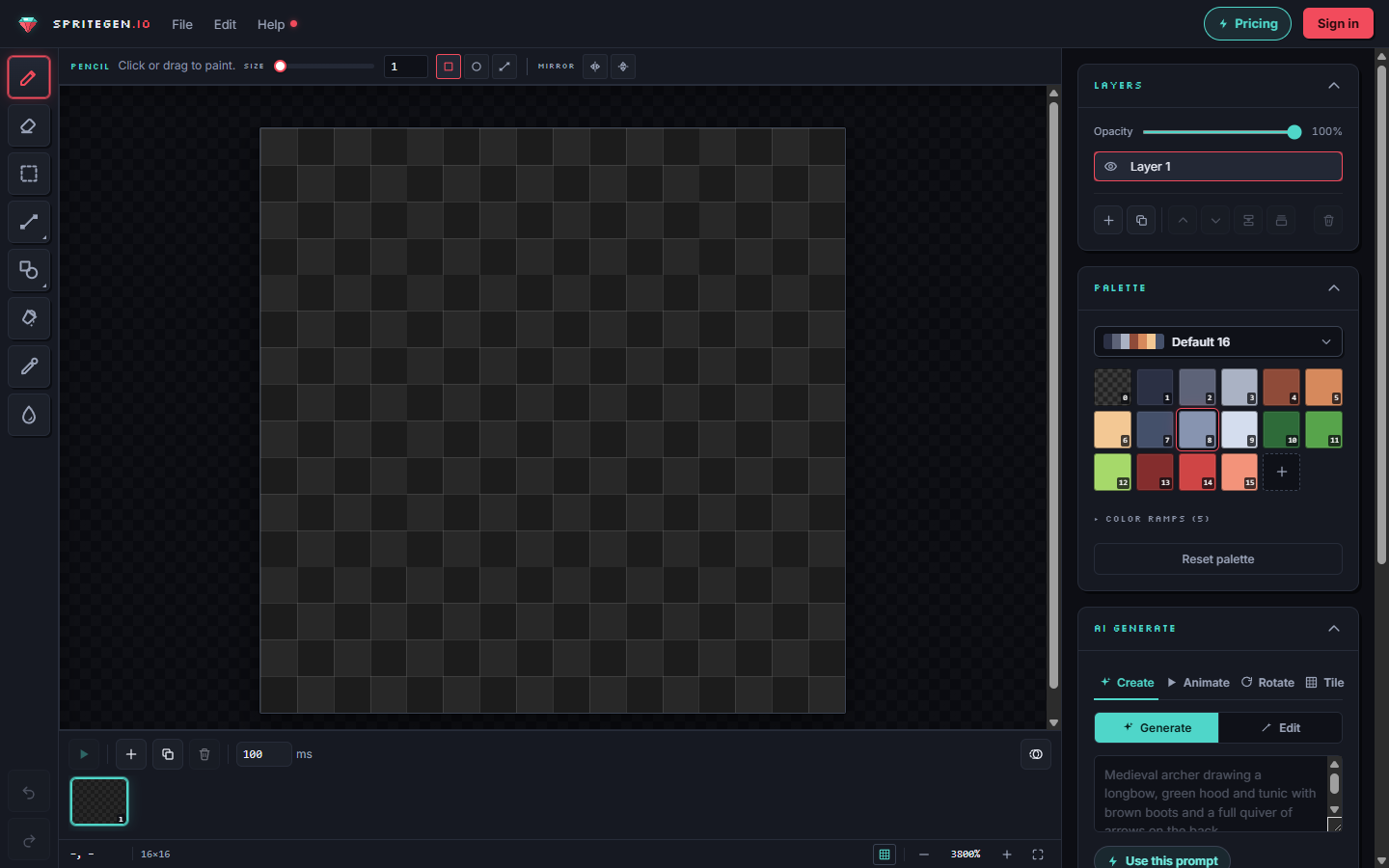
You can also generate a starting point ("a knight, 16×16, front view"), then refine it by hand or ask for a specific change like "make the helmet taller." Because the output is true pixel art on the grid, hand-editing the result is seamless.
The fastest way to improve is volume. Draw five different 16×16 characters in one sitting, a knight, a mage, a slime, a villager, a robot, and you will feel the proportions click.
Make it in SpriteGen, truly free
Hand-draw on a real grid or generate sprites with AI. No sign-up needed to draw and export — a free account adds 10 AI credits a month.