How to Draw Pixel Art Items and Icons
Make potions, coins, keys, and weapons read clearly at tiny sizes. Silhouette, contrast, material cues, the all-important highlight, and how to keep an icon set consistent.
Item icons live in inventory grids, hotbars, and shop menus, often at 16×16 or smaller. They have one job: a player should know what an icon is in a fraction of a second, without a label. That makes icons a pure exercise in readability. Here is how to get small objects to read clearly.
Design the silhouette, not the object
An icon is recognized by its outline first. Before color or shading, draw the flat shape and ask whether it is unmistakable. A potion should be a potion in silhouette alone. A key should be a key. If you have to squint, the shape is wrong, and shading will not fix it.
The strongest icons lean on one defining shape:
- Potion: a round flask with a narrow neck and a cork.
- Coin: a circle, usually with a symbol stamped in the center.
- Key: a round bow, a straight shaft, and clear teeth at the end.
- Sword: a long blade, a crossguard, and a short hilt.
Exaggerate the signature feature
Small sizes flatten everything, so push the one feature that identifies the object. Make the key's teeth bigger than they would be in real life. Give the potion a fat belly and an obvious cork. Widen the sword's crossguard so it does not read as a plain stick. Caricature beats accuracy at 16×16.
Win with contrast and a tiny palette
Icons sit on top of busy UI, so they need internal contrast to hold together.
- Use a small palette, often three or four colors for the whole item. More colors at this size just turns to mud.
- Keep a clear value range, a definite darkest and lightest. If your icon is all mid-tones it will look flat and vanish against the background.
- A dark outline helps the icon pop on any background. Use a very dark version of the item's color rather than pure black.
The highlight is what sells the material
A single, well-placed highlight does more than any other pixel on an item. It tells the player what the object is made of.
- Metal and gold: one hard, bright highlight pixel plus a dark shadow gives that polished, reflective look. Gold reads as yellow with a near-white spec.
- Glass and potions: a soft highlight near the top and a slightly lighter liquid color suggest transparency. A single bright pixel on the shoulder of the flask sells the glass.
- Gems and crystals: flat facets of solid color with one sharp white highlight. Avoid gradients, let the hard edges do the work.
- Wood: a couple of darker pixels for grain, kept subtle, with a warm base.
Pick one light direction (top-left is standard) and put every highlight on the same side. Consistent light is what makes a set of icons feel cohesive.
Use negative space deliberately
At small sizes, the empty cells matter as much as the filled ones. A one-pixel gap can separate the teeth of a key or the guard of a sword from the blade. Do not crowd every cell. A little breathing room is what keeps the shape readable.
Keep the set consistent
Items rarely appear alone. A potion, a coin, and a key in the same inventory should feel like one set.
- Give them a similar visual weight. A coin should not be three times denser than a key sitting next to it.
- Reuse the same palette and the same light direction across every icon.
- Keep a consistent outline style (full outline, or selective) for the whole set.
Center it and leave padding
Drop the item into the middle of the cell and leave a one-pixel margin around it where you can. Padding stops icons from touching their neighbors in a grid and gives animated items (a spinning coin, a bobbing potion) room to move.
Make a few in SpriteGen
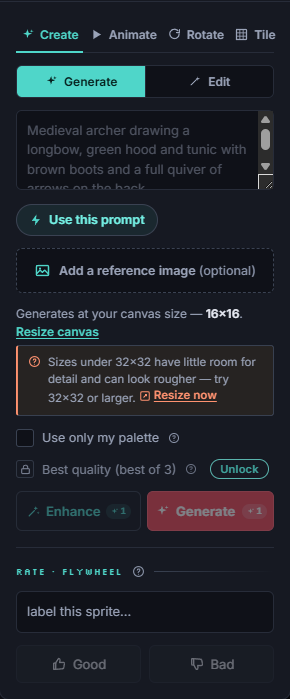
Set a 16×16 canvas, which stays exactly 16×16 with no blur, and build a small palette with ramps for glass, metal, and gold. Draw the silhouette with the pencil, flat-fill the regions, then place a single highlight pixel to set the material.
You can also describe an item ("a red health potion, 16×16") to get a clean starting point on the grid, then refine the cork or the highlight by hand, or ask for a small change like "make the liquid blue." Because the canvas is a real grid, the result is true pixel art you can immediately tweak pixel by pixel.
Try drawing a full starter set in one session: a potion, a coin, a key, a sword, and a shield. Keeping them consistent is the real lesson.
Make it in SpriteGen, truly free
Hand-draw on a real grid or generate sprites with AI. No sign-up needed to draw and export — a free account adds 10 AI credits a month.