SpriteGen vs Pixilart: Which Should You Use?
An honest comparison of SpriteGen and Pixilart for pixel art, covering AI generation versus a free community drawing tool, editing, animation, export, and which fits your workflow.
Pixilart and SpriteGen are both free to start and run in the browser, but they aim at different things. Pixilart is a popular drawing tool with a big community. SpriteGen adds AI generation and conversational editing on a real grid. Here is an honest comparison. Details change, so check each site for the latest.
At a glance
| Feature | SpriteGen | Pixilart |
|---|---|---|
| Platform | Browser, any device | Browser, plus mobile apps |
| Price | Free tier, paid for more AI | Free |
| Community and gallery | No | Yes, large community |
| Hand-drawing tools | Full and capable | Full and capable |
| AI generation | Yes, on a real grid | No |
| Conversational AI edits | Yes | No |
| AI animation | Presets and custom | No (manual animation) |
| Fixed-size true grid | Yes, by construction | Yes, you draw on a grid |
| Engine export (Unity, Godot) | Yes | Focused on PNG and GIF |
| Best for | AI-assisted, game-ready sprites | Drawing and sharing in a community |
The short answer
- Choose Pixilart if you want a free, friendly place to draw pixel art by hand and share it with a large community.
- Choose SpriteGen if you want to generate and conversationally edit sprites with AI on a real grid, and export game-ready formats, while still hand-editing pixel by pixel.
Drawing
Both are capable hand-drawing tools in the browser, with the usual pencil, fill, shapes, and frame-by-frame animation. Pixilart has years of polish as a drawing-and-sharing platform. SpriteGen has a complete editor too, including layers with opacity and a right-click radial tool wheel.
AI generation, the big difference
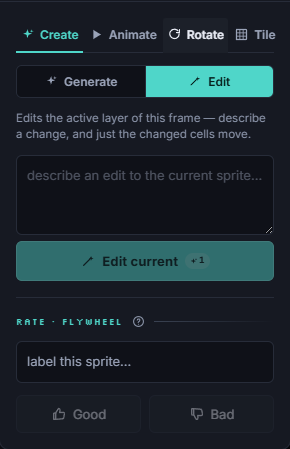
Pixilart is a drawing tool: you make every pixel yourself. SpriteGen adds AI on a real, fixed-size grid. Describe a sprite ("a red dragon, 16x16") and it draws true pixel art at the exact size, on your palette, then you make conversational edits ("make the helmet taller") that change only the cells you asked about. If you want AI speed with pixel-level control, that is the headline difference.
Community
This is Pixilart's strength. If sharing, browsing, and a social gallery matter to you, Pixilart is built around that. SpriteGen is focused on making and exporting sprites rather than hosting a community.
Export and game pipelines
SpriteGen exports PNG, animated GIF, spritesheets, native Aseprite files, and engine-ready formats for Unity and Godot, so sprites drop straight into a game. If your work is headed into an engine, that pipeline support helps. For setup, see pixel art for Unity and pixel art for Godot.
Bottom line
Pixilart is a great free home for drawing and sharing pixel art by hand. SpriteGen is the better fit when you want AI generation and surgical editing on a real grid, plus game-ready export. Open SpriteGen and generate a sprite to see the difference.
Make it in SpriteGen, truly free
Hand-draw on a real grid or generate sprites with AI. No sign-up needed to draw and export — a free account adds 10 AI credits a month.