SpriteGen vs a Generic AI Sprite Generator
What to look for in an AI sprite generator, why most are diffusion image models that snap to a grid, and how SpriteGen differs by drawing true pixel art on a real grid.
Search for an "AI sprite generator" or a "sprite AI" and you will find a lot of tools that all promise sprites from a prompt. Most of them work the same way under the hood, and that shared approach has real consequences for game developers. Here is what to look for, and how SpriteGen is different.
How most AI sprite generators work
The majority are diffusion image models. They paint a soft, full-color image from your prompt and then shrink it onto a grid to make it look pixel-ish. That is fine for concept art, but for actual game sprites it causes problems:
- Dimensions are approximate. You ask for a small sprite and get an image that is roughly that, not an exact grid.
- Hundreds of colors. Anti-aliasing leaves near-duplicate colors, so there is no clean, locked palette.
- Mixels. Visual pixels straddle grid cells, so the grid is not real and the art falls apart up close.
- No surgical edits. To change one detail you re-roll the whole image and hope the rest survives.
How SpriteGen is different
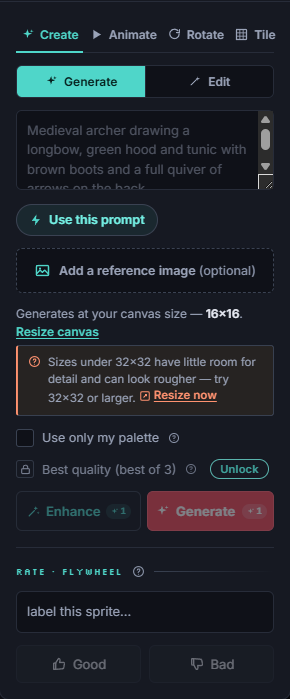
SpriteGen does not generate an image and snap it. Its canvas is a real, fixed-size grid of palette indices, and the AI draws directly into that grid. The result is true pixel art by construction:
- Ask for 16x16 and it is exactly 16x16.
- Every cell holds one locked palette color: no blur, no color creep, no mixels.
- You can change a single pixel by hand, or ask the AI to change one thing, and nothing else moves.
It is also a real editor
Because the sprite is a real document and not a flat image, SpriteGen is a full pixel editor too: pencil, shapes, fill, selection, layers, palettes, and animation frames. The AI and your hand tools write to the same grid, so a generated sprite is a starting point you fully control, not a finished image you are stuck with.
What to check before you commit
When you evaluate any AI sprite tool, ask:
- Does it produce an exact size, or an approximate image?
- Is there a real, locked palette, or hundreds of colors?
- Can you edit by hand and make targeted changes, or only re-generate?
- Can you export to your engine (PNG, spritesheet, Unity, Godot)?
Bottom line
Most AI sprite generators are image models that approximate pixel art. SpriteGen draws true pixel art on a real grid, so the output is exact, palette-clean, and editable down to the pixel. If you are making real game sprites, that difference is the whole point. Open SpriteGen and generate one to compare.
Make it in SpriteGen, truly free
Hand-draw on a real grid or generate sprites with AI. No sign-up needed to draw and export — a free account adds 10 AI credits a month.