How to Make Sprites for Your Game
A guide to making a consistent set of game sprites — choosing shared dimensions and a palette, planning your sprite list, keeping a uniform style, and exporting everything your engine needs.
Making one good sprite is a craft; making a set of sprites that look like they belong to the same game is a discipline. The difference is consistency — shared sizes, a shared palette, a single light direction, and a plan. This guide is about producing a coherent batch of game-ready sprites, not just a single piece. (If you want the start-to-finish workflow for one sprite, read How to Make a Pixel Art Sprite first.)
1. Decide what "a sprite" is for your game
Before drawing anything, define your building blocks. A platformer needs a player, enemies, and tiles. A top-down RPG needs characters in four directions, NPCs, and items. List the categories you actually need so you're making sprites toward a game, not a pile of unrelated art.
2. Lock in shared dimensions
Pick a small set of canvas sizes and stick to them. A common scheme:
- 16×16 — tiles, items, pickups, small enemies.
- 32×32 — the player and most characters.
- 48×48 or 64×64 — bosses and large props.
Consistent sizes keep characters in proportion to each other and make level layout sane. A grid-based tool guarantees the size: a 32×32 sprite is exactly 32×32, every time, with no blur or half-pixels. In SpriteGen the dimensions are fixed at creation and never drift, so a whole cast stays on-model by construction.
3. Use one shared palette
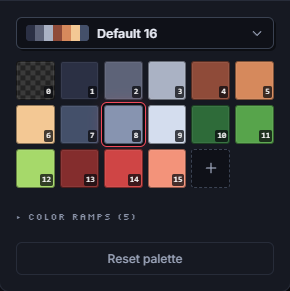
The fastest way to make scattered art feel like one game is a single shared palette across every sprite. Build it once — a handful of ramps (dark-to-light sequences) for your common materials: skin, metal, foliage, stone — and pull every sprite's colors from it.
A shared palette is the secret behind cohesive pixel art. When the hero, the slime, and the treasure chest all draw from the same 24 colors, they read as one world.
4. Plan the sprite list
Write the actual list before you draw: player idle, player walk, three enemy types, a coin, a key, a door, ten ground tiles. A concrete checklist keeps scope honest and stops you from polishing one sprite forever while the game has nothing else.
5. Keep them consistent
Consistency is what sells a set. Hold these constant across every sprite:
- Light direction — pick one (top-left is the classic) and never change it. Mixed lighting is the most common giveaway of a patched-together set.
- Outline style — decide on dark outlines, selective outlines, or none, and apply it everywhere.
- Level of detail — match the pixel density. A hyper-detailed hero next to a flat, blocky enemy looks wrong.
- Proportions — keep head-to-body ratios and scale believable between characters.
6. Organize frames, directions, and states
Game sprites are rarely single images. A character usually has multiple states (idle, walk, attack, hurt) and sometimes multiple directions (down, up, left, right). Keep these organized as frames within each sprite so they're easy to export together. If you're animating those states, see How to Animate Pixel Art.
7. Pack into spritesheets
Engines consume animation and tile sets as spritesheets — many frames laid out on one uniform grid. Keep each frame the same cell size, leave consistent padding, and prefer power-of-two sheet dimensions for older pipelines. Our spritesheet guide covers the layout details.
8. Export for your engine
Finish by exporting in the format your engine wants:
- PNG with transparency for individual sprites and tiles.
- Spritesheet PNG plus frame data for animated characters.
- Engine-ready exports for Unity or Godot so sprites and sheets drop straight into your project — already sliced and on the grid.
Make a whole set faster with AI
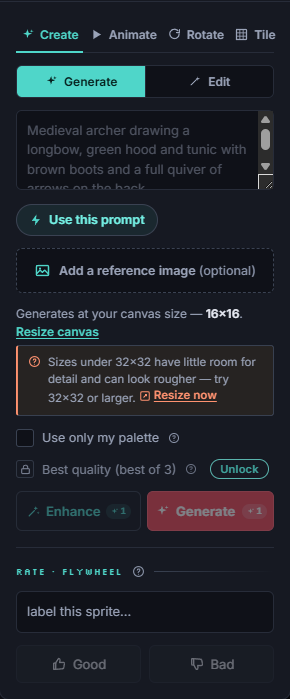
Building a cast by hand is slow. In SpriteGen you can describe each sprite ("a 32×32 knight, top-left light") and the AI draws true pixel art on the grid, reusing your locked palette so the whole set stays cohesive. Then refine by hand or with conversational edits — "give the slime a darker outline," "make the coin shinier" — across the batch. Because every sprite is a real grid of palette indices, your set comes out consistent and game-ready, not as a folder of mismatched upscaled images.
Start with your sprite list and a shared palette, make the player first, and build outward. Open the editor and block in your cast — a coherent set is closer than it looks.
Make it in SpriteGen, truly free
Hand-draw on a real grid or generate sprites with AI. No sign-up needed to draw and export — a free account adds 10 AI credits a month.